
Download Icon8 Lunacy – Free Vector Graphics Editor for UI/UX Design
Overview
Icon8 Lunacy is a free, cross‑platform vector graphics application built by Icons8 LLC. Designed for web, UI, and UX designers, Lunacy combines a sleek modern interface with a robust toolbox that rivals paid competitors such as Sketch and Figma. Whether you are a seasoned graphic artist or a beginner exploring vector design, Lunacy delivers a smooth, distraction‑free workflow that lets you create high‑quality icons, illustrations, mockups, and interactive prototypes.
The application ships with an extensive library of ready‑made icons, photos, and illustrations, plus AI‑powered utilities like background removal and image upscaling, which speed up repetitive tasks and boost creativity. Because it runs on Windows, macOS, and Linux with low system requirements, you can install it on modest laptops or powerful desktops without sacrificing performance. Collaboration is built‑in: real‑time co‑editing lets multiple designers work on the same file, and files are compatible with Sketch, Figma, and other industry standards, making it easy to hand off assets to teammates or clients.
While occasional slow loading of very large files has been reported, the development team continuously pushes updates to improve stability. In short, Lunacy is a lightweight yet capable vector editor that offers a professional experience at zero cost, making it an attractive option for freelancers, agencies, and design students alike.
Key Features of Icon8 Lunacy
- Cross‑Platform Support: Native applications for Windows, macOS, and Linux ensure a consistent experience across devices.
- AI‑Powered Tools: Background remover, image upscaler, and smart color palette generation accelerate routine tasks.
- Extensive Asset Library: Built‑in collections of icons, photos, and vector illustrations ready to drag‑and‑drop into projects.
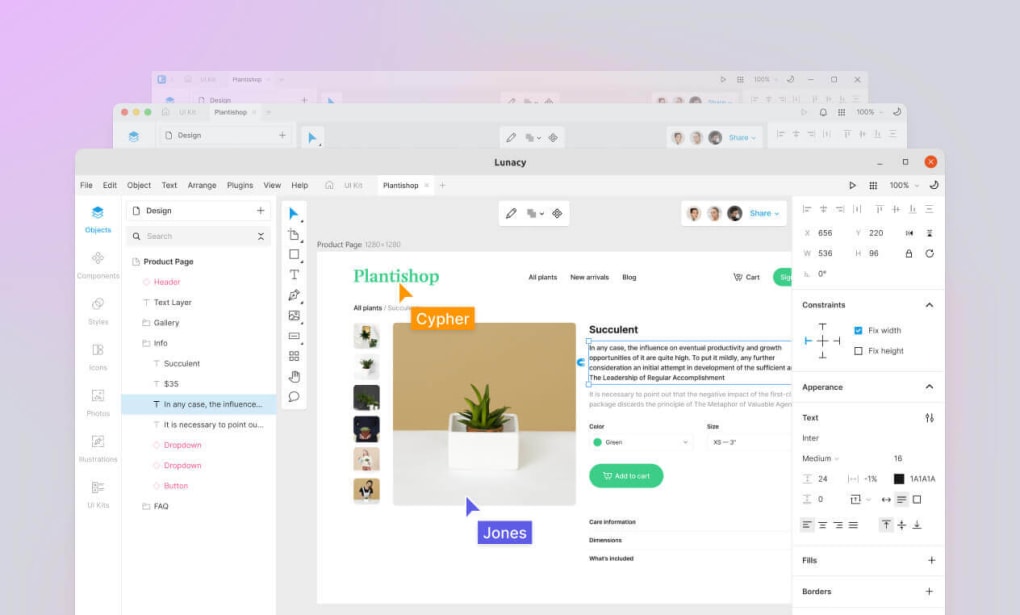
- Real‑Time Collaboration: Multiple users can edit the same file simultaneously, with changes synced instantly.
- Sketch & Figma Compatibility: Import and export .sketch files, and export assets in formats compatible with Figma, ensuring seamless hand‑off.
- Layer & Symbol Management: Advanced layer hierarchy, symbols, and reusable components streamline UI design.
- Vector Editing Tools: Pen, pencil, shape, boolean operations, gradients, and text styling give designers full creative control.
- Prototyping Capabilities: Link screens, add interaction triggers, and preview responsive layouts directly within the app.
- Low System Requirements: Runs smoothly on computers with as little as 2 GB RAM and a modest GPU.
- Free Updates: Regular feature releases and bug fixes are delivered at no cost, keeping the software current.
Installation, Usage & Compatibility
Step‑by‑Step Installation
1. Visit the official website at icons8.com/lunacy and click the download button that matches your operating system.
2. Windows: Run the .exe installer, accept the license agreement, and follow the on‑screen prompts.
The installer automatically adds a desktop shortcut and registers Lunacy in the Start menu.
3. macOS: Download the .dmg file, drag the Lunacy icon into the Applications folder, and launch it from Finder or Launchpad.
4. Linux: Choose the AppImage, Snap, or .deb package.
For AppImage, make the file executable (`chmod +x lunacy.AppImage`) and run it. Snap users can install via `snap install lunacy`.
5. After installation, launch the app and sign in with a free Icons8 account to sync your cloud projects and access the asset library.
Getting Started with a New Project
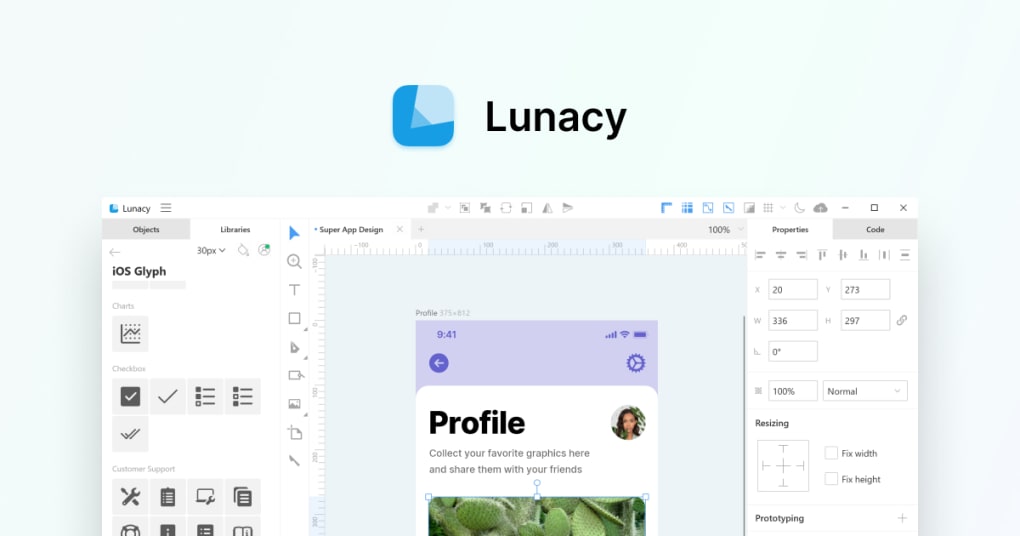
Once Lunacy opens, click File → New to create a canvas. Choose a preset size (e.g., 1440 × 900 px for desktop UI) or define custom dimensions. The left‑hand toolbar houses the primary drawing tools (Pen, Shape, Text).
The right‑hand panel displays properties for the selected object, allowing you to adjust fill, stroke, opacity, and effects. To import assets, simply drag files from your computer or use the built‑in Icons8 Library accessed via the top navigation bar. For collaborative work, click the Share button, generate a shareable link, and invite teammates; changes appear in real time without needing to save or refresh.
Operating System Compatibility
Windows 10/11, macOS 10.15 and later, and major Linux distributions (Ubuntu, Fedora, Debian) are fully supported. The application is optimized for both 64‑bit and 32‑bit environments on Windows, while macOS users benefit from native Metal acceleration. Linux builds leverage Qt for consistent UI rendering across desktop environments. Because Lunacy is a native app, it does not rely on a web browser, ensuring offline access and faster performance compared with cloud‑only tools.
Pros, Cons, Frequently Asked Questions & Final Verdict
Pros & Cons
- Pros:
- Completely free with no hidden premium tiers.
- Rich set of AI tools that automate tedious tasks.
- Cross‑platform support makes teamwork easy.
- Low hardware demands allow use on older machines.
- Native compatibility with Sketch and Figma files.
- Real‑time collaboration without extra plugins.
- Cons:
- Occasional slowdown when loading extremely large projects.
- Feature set, while solid, is not as extensive as premium suites like Adobe Illustrator.
- Limited plug‑in ecosystem compared to some competitors.
Frequently Asked Questions
Is Icon8 Lunacy really free or are there hidden costs?
Lunacy is completely free to download and use. All core features, including AI tools and collaboration, are included at no charge. Icons8 offers optional paid assets (premium icons, photos) in its marketplace, but these are not required for the software itself.
Can I open Sketch files in Lunacy without losing layers?
Yes. Lunacy natively imports .sketch files while preserving layers, symbols, and artboards. This makes it easy to switch between Sketch and Lunacy during a project.
Does Lunacy support plugins or extensions?
Currently Lunacy does not have a public plugin marketplace like Adobe or Figma. However, the built‑in AI utilities and extensive asset library cover many common workflow needs.
Is the software suitable for creating responsive web designs?
Absolutely. Lunacy offers artboard resizing, constraints, and layout grids that help designers build responsive mockups for mobile, tablet, and desktop screens.
How does real‑time collaboration work in Lunacy?
Invite teammates via a shareable link or by email. Once they accept, each participant can edit the same file simultaneously, with changes synced instantly. A version history panel lets you revert to earlier states if needed.
Conclusion & Call to Action
In a market saturated with costly vector editors, Icon8 Lunacy stands out as a powerful, free alternative that doesn’t compromise on essential features. Its intuitive UI, AI‑enhanced utilities, and seamless cross‑platform collaboration make it an excellent choice for UI/UX designers, freelancers, and design students. While it may not yet match the exhaustive toolsets of Adobe Illustrator or CorelDRAW, its low system footprint and robust asset library provide more than enough capability for most professional projects. If you’re searching for a cost‑effective way to create high‑quality vector graphics, download Icon8 Lunacy today, explore its built‑in resources, and experience a modern design workflow without spending a dime.
Click here to download Icon8 Lunacy now and start designing instantly.







